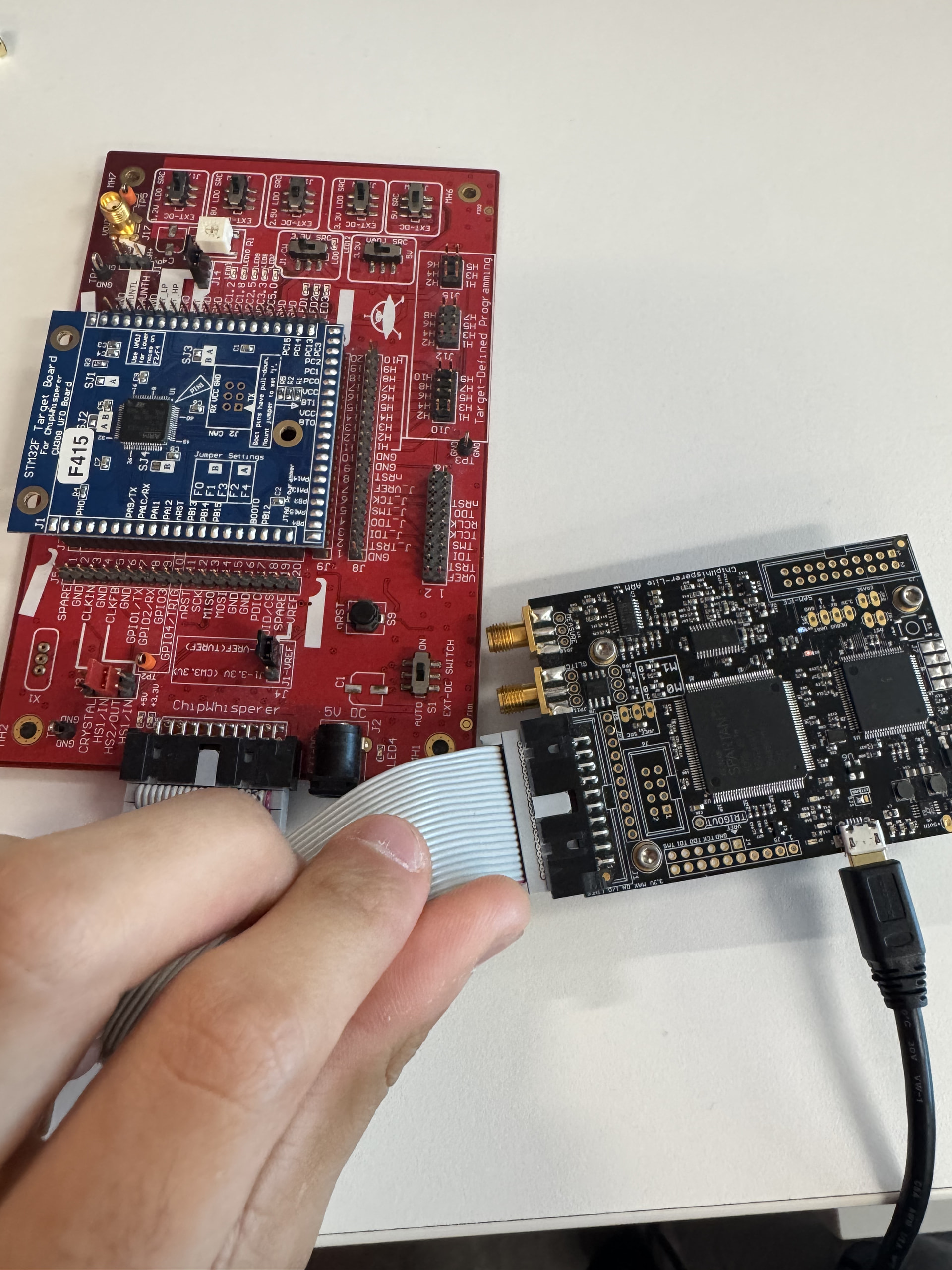
I hope you are doing well. I am currently experiencing an issue with my ChipWhisperer-Lite, where my computer is unable to properly detect the device. I have reviewed previous forum posts and attempted several troubleshooting steps, but I have not been able to resolve the issue. Approximately two weeks ago, the board suddenly stopped working. Since then, only the blue and red LEDs appear dim, whereas previously the board would power on with a green LED. Initially, the device appeared under “Hidden Devices” in Device Manager. I removed and reinstalled it, but afterward it disappeared completely for some time. It eventually reappeared as a “USB Serial Device,” but the issue persists.
I have tested the board on multiple computers (all Windows 10 & one macOS), and the same behavior occurs:
I have also:
-
Tried multiple USB data cables
-
Verified drivers using Zadig (WinUSB is installed)
-
Attempted to connect using the ChipWhisperer Python library (no device detected)
-
Attempted to force bootloader/reset mode by shorting the ERASE pins during connection
Any sort of help with this problem would be appreciated
.
After shorting the ERASE pins, did you run the following? What is the output?
import chipwhisperer as cw
cw.program_sam_firmware(hardware_type='cwlite')
(note that this requires ChipWhisperer 5.6 or later)
Thank you for the quick response!
Here is the exact output: OSError Traceback (most recent call last)
Cell In[7], line 2
1 import chipwhisperer as cw
-—> 2 cw.program_sam_firmware(hardware_type=‘cwlite’)
File ~\ChipWhisperer\chipwhisperer\software\chipwhisperer\_init_.py:149, in program_sam_firmware(serial_port, hardware_type, fw_path)
147 at91_ports = get_at91_ports()
148 if len(at91_ports) == 0:
OSError: Could not find bootloader serial port,
Here is how I shorted the ERASE pins—just wanted to make sure I’m doing it correctly. First, I inserted a wire to connect the two pins (JP2 / ERASE pins). While doing this, I kept Device Manager open the entire time. I noticed that when the wire was connected, the device would disappear and the computer wouldn’t register the ChipWhisperer under “Universal Serial Bus Devices.” When I adjusted the wire (either side), the connection would come back and the device would show up again. After that, I removed the wire and tried running the code.
I also tried another method where I unplugged the USB from my computer, made sure everything was disconnected, then inserted the wire across the ERASE pins, plugged the USB back in, and removed the wire after about ~3 seconds. However, when I ran the code again, the same issue still persisted.
Please let me know if I’m doing anything wrong. This was also the version: 6.0.0
ChipWhisperer needs to be connected to your computer when you short the ERASE pins.
What does it show up as in your Device Manager?
Yes, I had it connected where I was explaining it in the first paragraph on how I did it. The only thing showing up was that when it seemed off (when the LEDs were off), it wasn’t connected, whereas in the device manager, nothing would pop up. However, if I moved the wire a little to the right/left, it would turn back on (where the leds were red and blue) , and the same message in the device manager would be popping up as the “USB device” in the Universal Serial Bus Devices.