I am currently trying to perform a Voltage Glitching attack on the CW308 UFO Board with the STM32F3 target, using a ChipWhisperer-Lite.
Despite scanning a very wide range of parameters, I am unable to get any results. The target runs perfectly stable (100% normal execution), and I cannot induce even a single RESET, let alone a successful glitch.
I am sorry, I don’t know what is glitch port, could you please show me where it is? I am using remote connect to play the cw platform, so I can’t attach it with oscilloscopes. Do you have other ways?
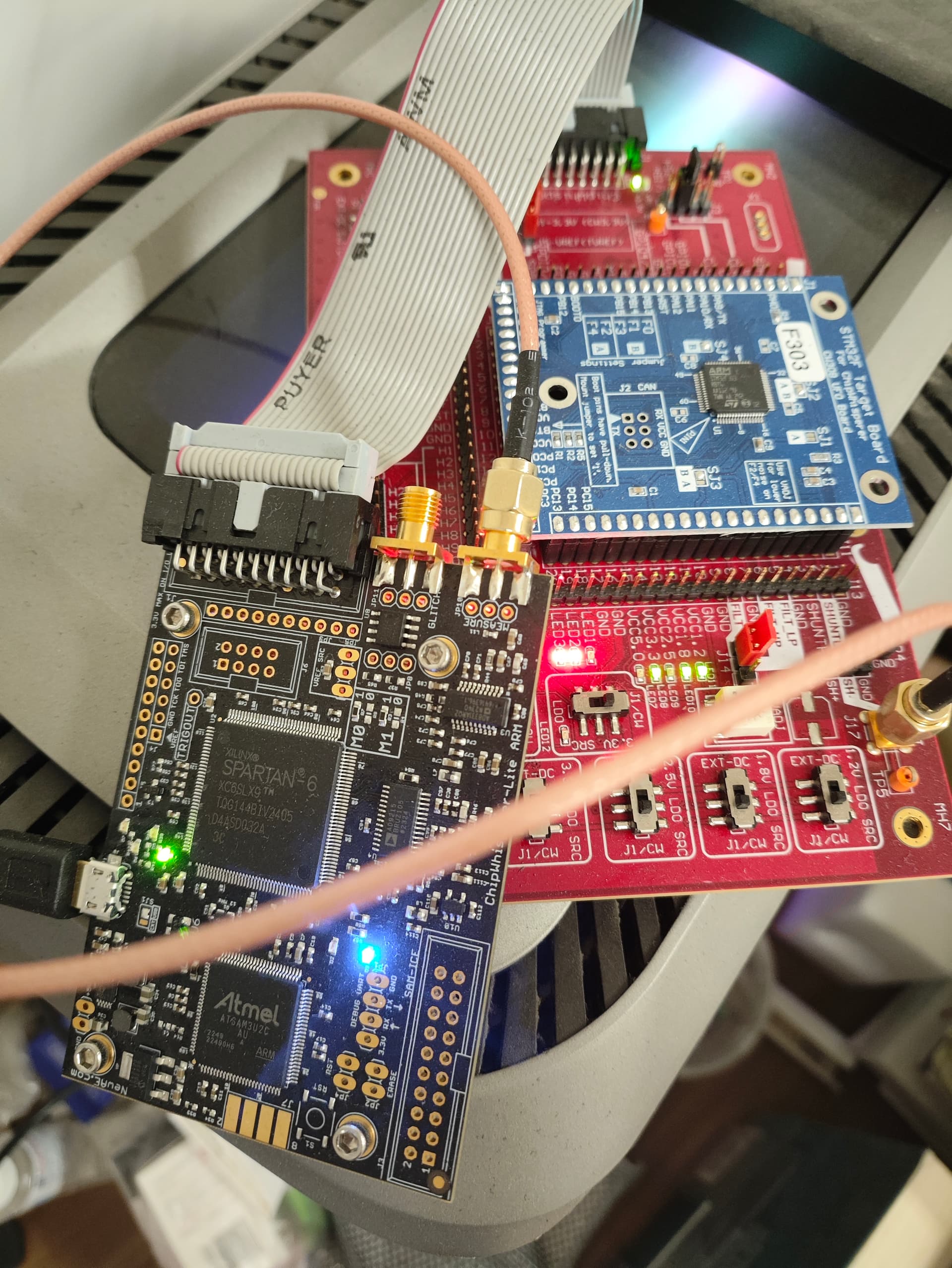
The CW308 has a single SMA port so you’ll need to use a T-connector to connect both CW-lite ports to it. This T-connector is included with our CW308 (see datasheet).
Unless you verify that everything is properly connected, I can’t help you any further.
Sorry but I have another question that if I disconnect the glitch port, it will affect both clock glitch and voltage glitch or only voltage glitch? I am in a bad situation because I got no success in both of them.
I’m troubleshooting why I’m getting zero resets.
For the CW308 UFO, does J3 need to be set to the Shunt/Glitch path (not direct 3.3V)?
And for the standard CW-Lite STM32F3 target (the break-away part), do I just need to connect the Glitch SMA cable without touching any jumpers?
Your jumper settings are correct. However the pictures still do not show the glitch port connected.
You asked about clock and voltage glitching, but let’s focus on one thing at a time.
I am guessing that you are trying to run the Fault 2_3 notebook? Let’s start with the Fault 2_1 notebook instead. Make sure you set PLATFORMto ”CW308_STM32F3”.
Sorry sir, I have connected my glitch port right now.
I have two questions regarding Voltage Glitching (STM32F3):
1. Issue with SOLN Fault 2_2
I successfully completed the Fault 2_1 lab. However, when I run the solution script for Fault 2_2, I am unable to get a success. The script results in a very high number of Resets (more than “Normal” responses), but zero successes.
Do I need to manually adjust the glitch width parameters in the SOLN script? It seems the default parameters might be too aggressive for my setup.
2. Wrong PLATFORM setting
For my own project, I realized I was setting PLATFORM = ‘CWLITEARM’ in my script, but my actual hardware is the CW308 UFO Boardwith the STM32F3 target (CW308_STM32F3).
I am getting some resets, but no successful glitches.
I originally guessed that the platform name shouldn’t matter much since I am still seeing resets. However, could this mismatch be the main reason I am failing to find the glitch sweet spot?
I invite you to have a closer look at what’s done in the notebooks depending on PLATFORM. You’ll see that different glitch parameter ranges are set depending on the platform (gc.set_range()). If you completed 2_1 successfully, learn from that what glitch parameter settings are successful, to help you get success on the other labs.
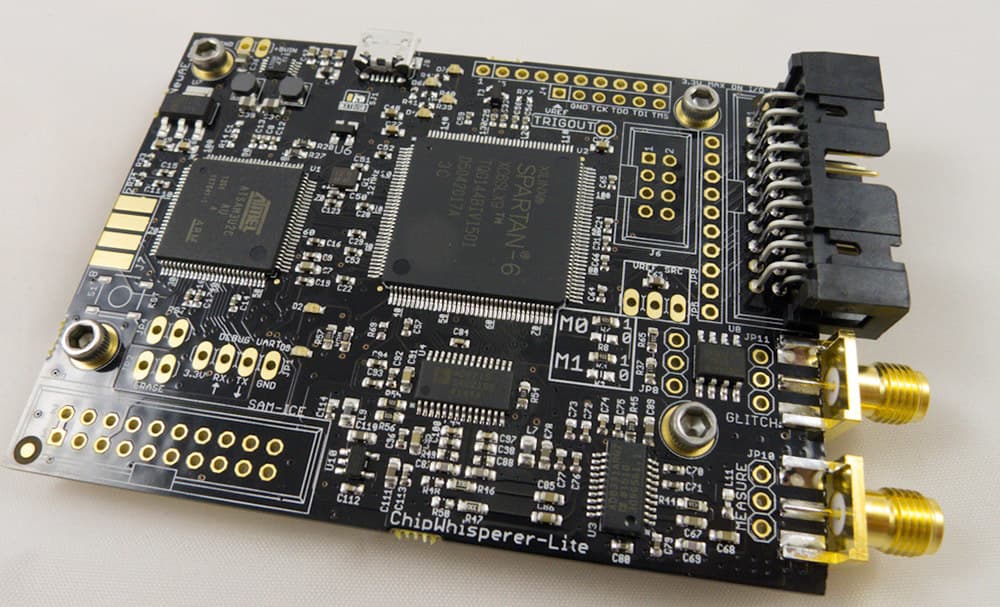
CWLITEARM and CW308_STM32F3 are the same target- you’ll see that for the purposes of compiling and programming the firmware, either works. Why do we set different glitch ranges for these? Because when it comes to glitching, even small differences like the length of a cable has an effect. CWLITEARM is a single-board combined capture+target, with no SMA cables at all (like the first picture here).
In general, glitching often doesn’t automatically work. You need to expect some searching and tweaking of parameters.
For the STM32F4, you’ll have to do the work of finding what parameters work for you.
Thank you for your patient answer, for STM32F4 things ,I clearly know the parameters will change, but I mean are there anything else I need to do except finding parameters and changing platform?
And for Fault2_2,you mean that the parameters in SOLN Fault2_2 don’t ensure a success , maybe I need for more trainning to find some new parameters to get a success case.
Although I set the platform as CWLITEARM, this isn’t the reason I get no success in my case ,am I right? I am afraid of it will influence other things(e.g hardware settings).After reading your answer, all of my worries faded away.
I always ask for your help, thank you again.I wish you have a good dayyyyy!