-
Issue:
Can’t get any successful glitch in SOLN_Fault 2_1 even after three full attempts.
-
Setup:
OS: Ubuntu 22.04 running in virtual machine
Hardware: Chipwhisperer Husky
Software: Latest Chipwhisperer github repo
Target: ATSAM4S2
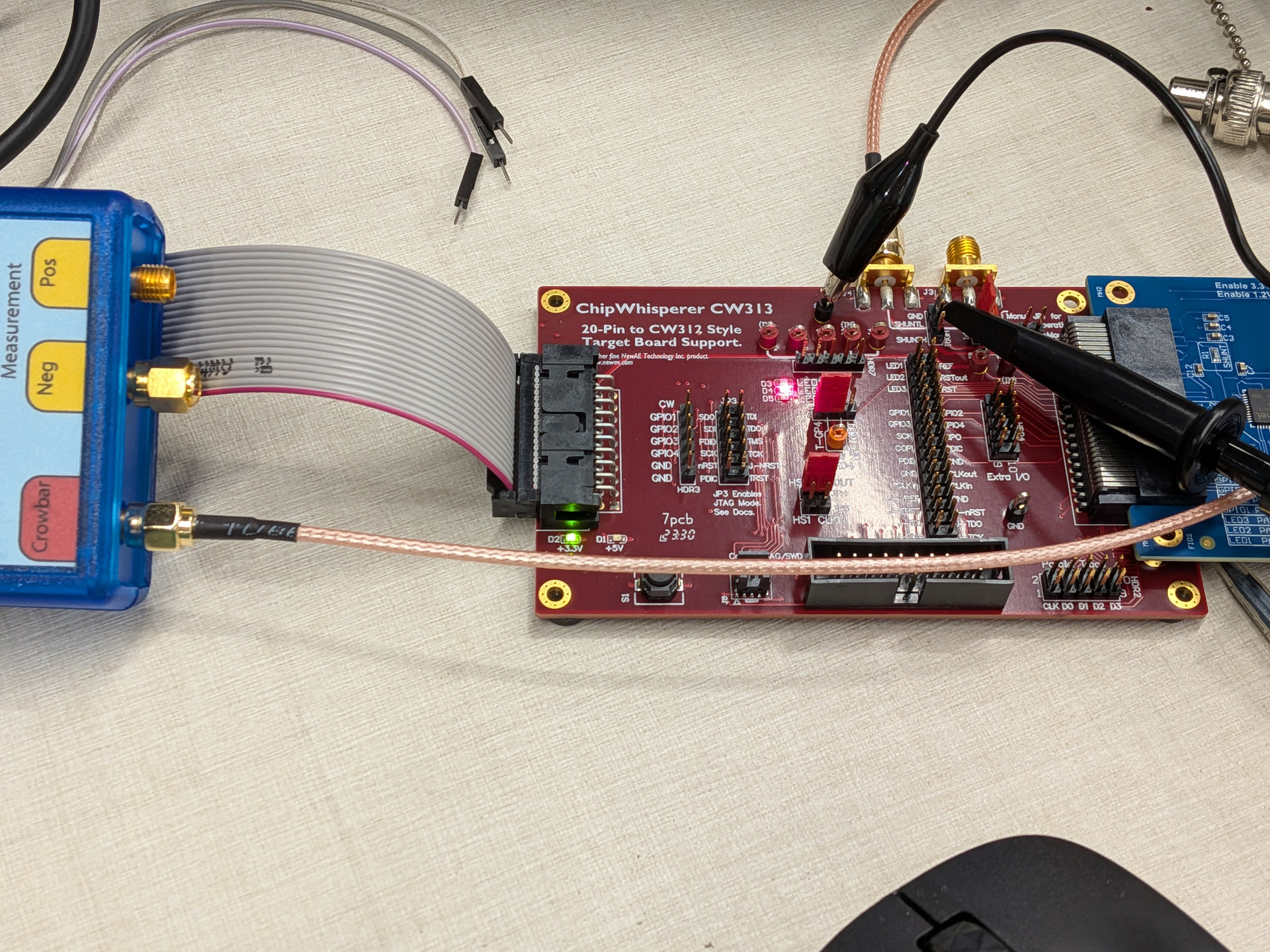
Here is the picture of my wiring:
I just can’t get any successful glitch in this setup, am I doing anything wrong?
- I’m sure I used the correct target platform
CWHUSKY in the .ipynb
- No modifications to the solution code is made other than changing PLATFORM to
CWHUSKY
- I can trigger
normal and reset
- I have successes in clock glitching courses. So the target board and Husky should be working fine?
Also another related question:
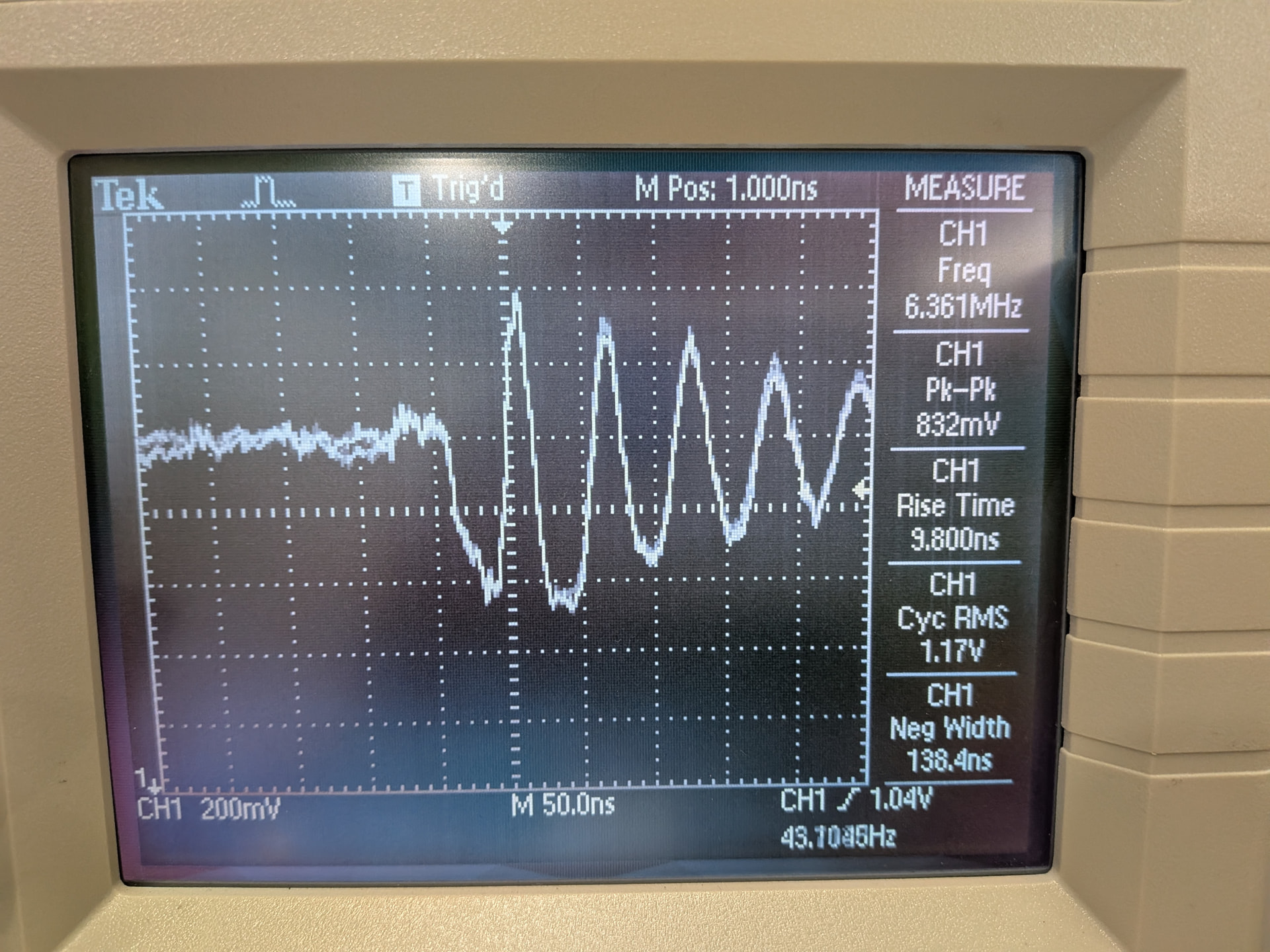
When I’m trying to visualize the voltage glitch using an oscilloscope, I see extreme ringing. Is this expected?
It’s a 200MHz scope with 300MHz probe, I checked it’s not limited to 20MHz bandwidth.
(Can’t put the screen of my scope here due to new user limitation.)
The probe is hooked to following pins:
GND <-> GND, Probe <-> SHUNTL
The depth of the first negative pulse does increase with offset in the code, and no ringing is present on the pin when attack script is stopped, so I assume I’m not seeing noises.
I thought the point of the CW313 and a dedicated target board is to provide a “clean“ glitching setup (minimum “resistance“ on the power rail).
So, I’m not sure if the ringing is to be expected or an indication of something wrong in my setup that is preventing me to get successful glitch.
Any advice is appreciated!
Here’s the “screenshot“ (I’m sorry) of the ringing
Ringing is expected. Our target boards are designed to provide a best-case setup for side-channel measurements and glitching, but there is a lot of loading behind that supply line.
You should be able to see that as you change scope.glitch.width, the width of the initial negative pulse changes accordingly.
When you run the attack notebook, does the target sometimes reset? The general approach is that if you’re getting “a lot” of resets and no success, then you’re glitching too hard (glitches are too wide), and if you are getting very few resets, then you’re not glitching hard enough.
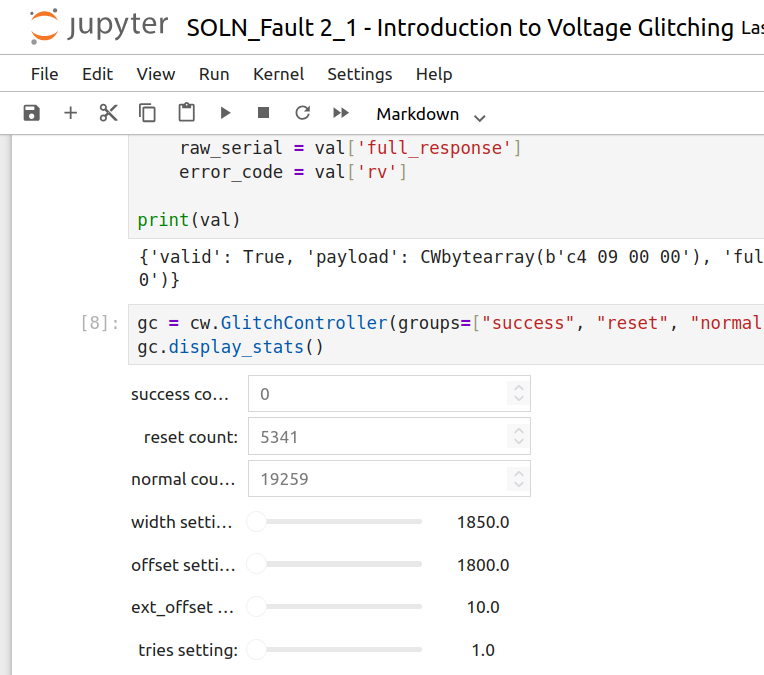
When you run the attack notebook, does the target sometimes reset?
Here is the result:
You should be able to see that as you change scope.glitch.width, the width of the initial negative pulse changes accordingly.
Ah yes width, I mistakenly wrote offset in my post but yes the negative pulse does change with value of width during the run.
The general approach is that if you’re getting “a lot” of resets and no success, then you’re glitching too hard (glitches are too wide), and if you are getting very few resets, then you’re not glitching hard enough.
I’m running the SOLN scripts so I assumed it is tested and expected to work out of the box. Does the users need to tune the parameters even in the SOLN scripts?
Sorry if this sounds trivial, but I’m trying to rule out all the variables that’s preventing a successful glitch.
That is a lot of resets, which suggests that the glitches are hitting the target “too hard”; I would try reducing the range of scope.glitch.width.
Yes and no- glitching is not deterministic in that way. We set a parameter space that should have a good chance of working, but it’s impossible to guarantee out-of-the-box success. Small difference due to manufacturing differences can influence the results, but also ambient temperature.
If you still don’t have success, you can try extending the range of scope.glitch.offset and/or reducing the step size.
Finally, know that while it can be frustrating when things don’t work right away, in the field of fault attacks this is a worthwhile part of the learning experience, because real-world glitching tends to have a lot of failure before you reach your goal.
Ok, that clarifies a lot of things.
Indeed this shows how fault injection is not a deterministic thing and now I know I should try to find the parameters for my environment instead of just assuming “it should work” 
Gotta try harder
Hi, i got the same issue here. Have you found the best width and another values ? since the setup is quite similar, I just wondering whether you can share your best values.